
Cline
Free, open source coding agent for VS Code, JetBrains, the terminal and desktop. You pay only for the AI models, or $9.99/month for ClinePass.
Quick answers
- Is Cline free?
- Yes, the tool is free: Cline is open source and costs nothing to install in VS Code, JetBrains, the CLI or the desktop app. You pay for the AI models you use, either to your own provider (BYOK) or through Cline credits. Cline also runs rotating, limited-time free model promotions for signed-in users, and local models via Ollama or LM Studio cost nothing.
- What is ClinePass and how much does it cost?
- ClinePass is an optional subscription that costs $9.99/month (checked October 5, 2026; Cline notes an additional processing fee may apply). It gives you 2-5x the usage of standard API rates on curated open-weight models such as GLM-5.3, Kimi K3, DeepSeek V4 Pro, MiniMax M3 and Qwen, with 5-hour, weekly and monthly limits. You can cancel any time and keep access until the end of the paid month.
- Is ClinePass worth it?
- It is worth it if you code with Cline most days and are happy with open-weight models: $9.99/month buys more usage than paying the same models per token. It is not worth it if you mainly want Claude, GPT or Gemini, because ClinePass does not include them; for those, use your own API key, Cline credits or your existing Claude or ChatGPT subscription.
- How does Cline model pricing work?
- Cline itself charges nothing; you pay for model tokens in one of three ways. Bring your own key and pay the provider's own rates, buy Cline credits and pay as you go across 100+ models (Cline says inference is sold at cost), or pay a flat $9.99/month for ClinePass. You can also connect a Claude Pro/Max or ChatGPT subscription and use its limits instead of per-token billing.
- Which editors does Cline support?
- VS Code, Cursor, Windsurf, VSCodium and Antigravity through the extension, plus JetBrains IDEs through a free plugin. There is also a CLI, a desktop app for macOS and Windows (Windows in beta) and an SDK, and with cline --acp it works in Zed, Neovim and Emacs.
- Is there a cheaper alternative to Cline?
- Within Cline, the cheapest options are free promotional models, local models (free, but you need capable hardware) or cheap open models via BYOK or ClinePass at $9.99/month. Other open source agents such as OpenAI Codex CLI are also free to install, but they tie you to one vendor's plans or API, so Cline is usually the most flexible option on cost.
Description
Cline is an open source coding agent (Apache-2.0, about 70,000 GitHub stars) that reads your project, edits files and runs terminal commands, asking for your approval along the way. It runs as an extension in VS Code, Cursor, Windsurf and JetBrains IDEs, as a CLI (npm install -g cline), as a new desktop app and as an SDK. Its Plan and Act modes let you agree on a plan before any code changes, and it supports MCP servers, rules, skills and local models. The tool itself is free. What costs money is the model: bring your own API key and pay the provider directly, buy pay-as-you-go Cline credits for 100+ models, or subscribe to ClinePass ($9.99/month, checked October 5, 2026) for higher quotas on open-weight models like GLM, Kimi, DeepSeek and Qwen. It can also use an existing Claude or ChatGPT subscription. Enterprises can run it in their own VPC, on-prem or air-gapped.
How to install
VS Code, Cursor or Windsurf: install the extension from the Marketplace (or search "Cline" in Extensions)
code --install-extension saoudrizwan.claude-devOr install the CLI (Node.js 20+)
npm install -g clineSign in or pick a provider, then start the agent in your project folder
cline auth
cline
Preview
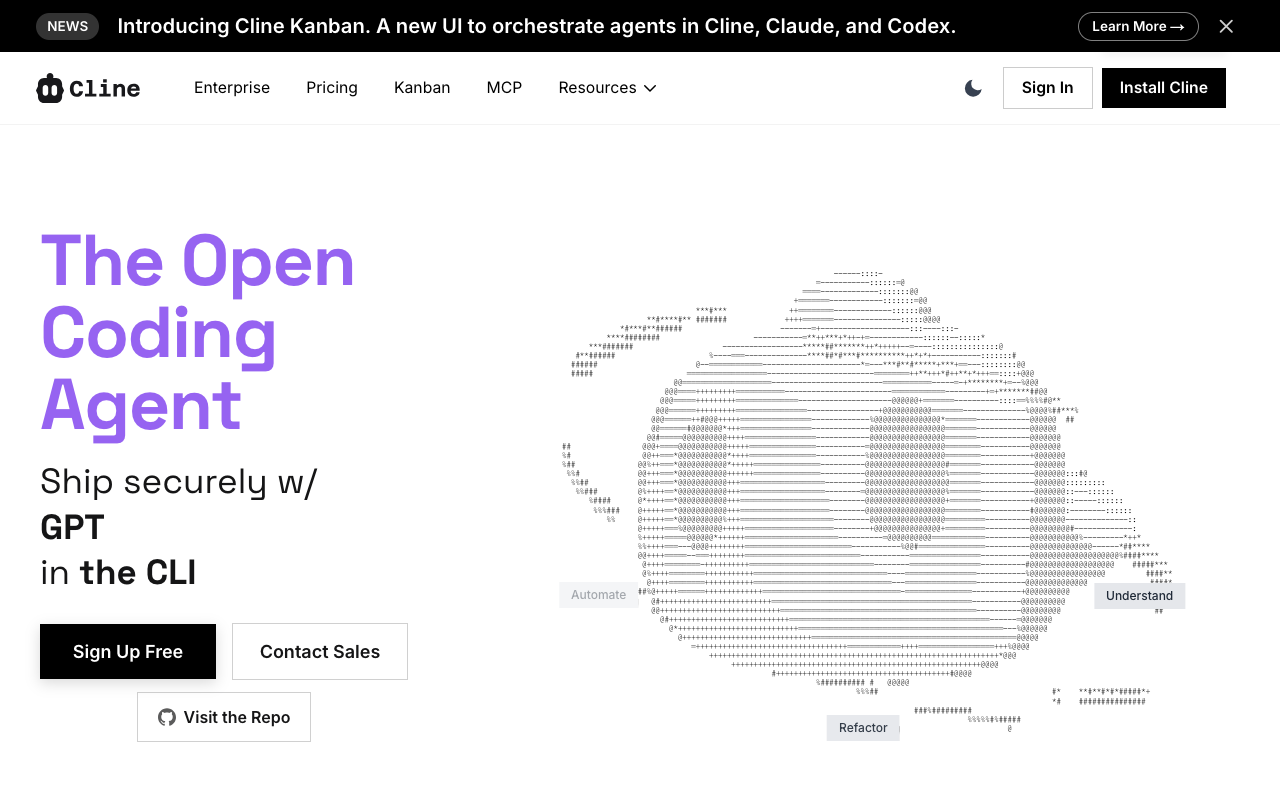
Detailed Evaluation
Key strengths
The tool is free and open source
Apache-2.0 licence, about 70,000 GitHub stars and 250+ contributors. You never pay for Cline itself, only for the models you call.
Any model, any way to pay
Use your own API key, Cline credits for 100+ models, ClinePass, local models via Ollama or LM Studio, or your existing Claude or ChatGPT subscription.
Plan and Act modes
Plan mode discusses and agrees the approach first; Act mode makes the changes, and file edits and commands need your approval unless you turn on auto-approve.
Works where you work
Same agent in VS Code, Cursor, Windsurf, JetBrains, the terminal, a desktop app and any ACP editor such as Zed or Neovim.
Data control for companies
With your own keys, requests go straight to your provider. Enterprise can run in a VPC, on-prem or air-gapped with Bedrock, Vertex or Azure.
Limitations to consider
Frontier-model costs add up
With Claude or GPT models billed per token, long agent sessions can cost more than a flat subscription to a closed tool.
ClinePass covers open models only
The $9.99/month plan includes GLM, Kimi, DeepSeek, MiniMax, MiMo and Qwen models, not Claude, GPT or Gemini, and has 5-hour, weekly and monthly limits.
Results depend on the model you pick
Cheap or local models produce noticeably weaker results on hard tasks, so you have to match the model to the job.
More setup than a managed tool
You choose a provider, a model and approval settings before you start, which is more decisions than in Cursor or Copilot.
Enterprise pricing is not public
SSO, SLA, centralized billing and team controls need a sales conversation.
Standout Feature
Full model freedom with a free, open source agent: the same Cline runs in VS Code, JetBrains, the terminal and a desktop app, and you choose whether to pay a provider directly, use Cline credits, a $9.99/month open-model plan, local models or a subscription you already have.
Comparison with Alternatives
Versus Cursor or Windsurf, Cline is an extension rather than a full editor and you pay for models instead of a seat subscription. Versus GitHub Copilot, it is more autonomous and lets you use any provider. Versus Claude Code or OpenAI Codex CLI, it is not tied to one model vendor and can even use those subscriptions as its provider.
Alternatives to consider
Sources
Ideal User
Developers and technical teams who want an open source agent inside their editor or terminal, like to pick the model for each job, and prefer paying for actual usage (or a cheap open-model plan) over a fixed subscription to a closed tool.
Learning Curve
Installing the extension and signing in takes a few minutes, and the free or pay-as-you-go Cline provider avoids handling API keys. Getting good results takes learning Plan and Act, choosing the right model per task, and setting up rules and MCP servers. If you have used Claude Code or Codex, you will adapt in hours.
Best For
- Developers who want a capable coding agent without paying for the tool itself
- People who want to choose their model per task, including cheap open-weight or local models
- Users who already pay for Claude or ChatGPT and want to use that subscription inside VS Code
- Teams that need code and prompts to stay inside their own infrastructure (VPC, on-prem, air-gapped)
- Automating code tasks from the terminal, cron jobs or CI with the Cline CLI
Not Ideal For
- People who want one fixed monthly price that covers frontier models like Claude or GPT
- Absolute beginners who don't want to think about providers, models or token costs
- Users who want a visual app builder rather than a coding agent inside an editor